the Microsoft Surface stands out as a flexible solution that blends laptop power with tablet convenience.
For families with teenagers, technology plays a central role in education, creativity, and communication. From online classes and research projects to digital art and collaboration, teens rely heavily on reliable devices. Among the popular options available today, the Microsoft Surface stands out as a flexible solution that blends laptop power with tablet convenience.
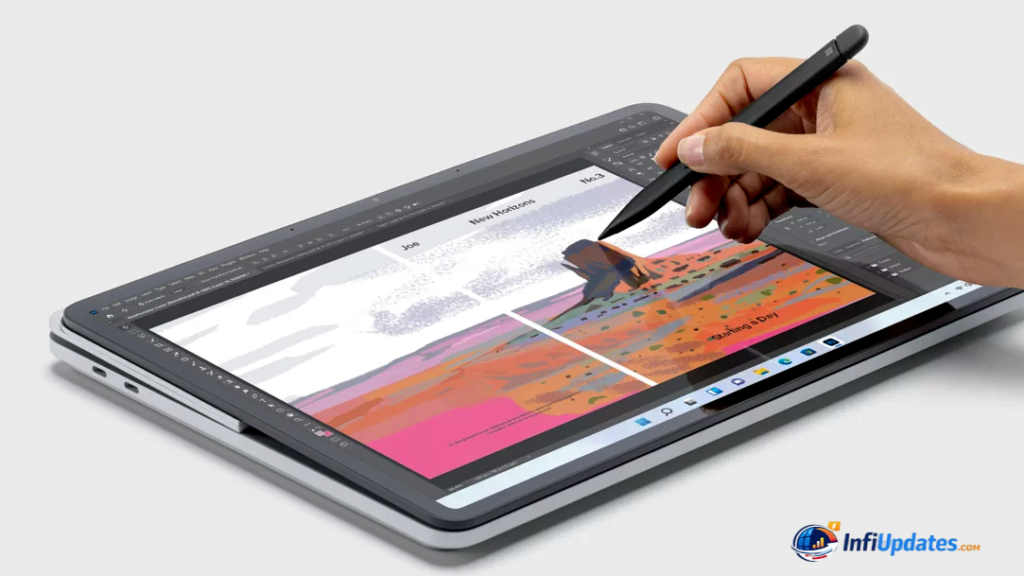
This article explores how Surface devices can support families of teens — academically, creatively, and responsibly.
A Device Built for School and Beyond
Teenagers today need more than just a basic laptop. They require devices capable of handling:
- Online learning platforms
- Video conferencing
- Research and presentations
- Creative software
- Note-taking and multitasking
Surface devices offer touchscreen functionality, detachable keyboards (in some models), and stylus compatibility, making them versatile for both structured study and creative exploration.
Whether it’s writing essays or editing short videos, the performance is designed to keep up with growing academic demands.
Digital Note-Taking and Organization
Many Surface models support the Surface Pen, which allows students to write directly on the screen. This feature is particularly useful for:
- Annotating PDFs
- Solving math problems
- Sketching diagrams
- Brainstorming ideas
For teens transitioning from paper notebooks to digital tools, this hybrid experience makes learning more intuitive.
Apps like Microsoft OneNote allow students to organize notes by subject and sync them across devices.
Supporting Creativity
Teenagers often explore creative interests — graphic design, coding, music production, or digital illustration.
With access to tools like:
- Microsoft Office
- Adobe Photoshop
- Visual Studio Code
Surface devices can serve as platforms for both schoolwork and passion projects.
The touchscreen and stylus combination can be especially helpful for artistic pursuits.
Parental Controls and Safety
For families, digital safety is just as important as productivity. Windows devices include built-in parental control features through Microsoft Family Safety.
Parents can:
- Set screen time limits
- Monitor app usage
- Manage content filters
- Track device location (with consent)
These tools help create a balanced and responsible digital environment without constant supervision.
Portability for Busy Schedules
Teens are often on the move — between school, extracurricular activities, and social commitments. Surface devices are generally lightweight and designed for portability.
Long battery life ensures students can work throughout the day without constantly searching for a charging outlet.
This portability supports both classroom use and homework sessions at home or in libraries.
Preparing for the Future
Technology literacy is essential for college and career readiness. Learning to use productivity tools, manage files, collaborate online, and maintain digital organization builds valuable life skills.
Surface devices operate on Windows, one of the most widely used operating systems in business environments. Familiarity with it can benefit students as they transition into higher education or the workforce.
Balancing Screen Time
While devices are essential for learning, families should also encourage healthy habits.
Consider:
- Creating tech-free study breaks
- Encouraging outdoor activity
- Establishing consistent digital boundaries
- Promoting face-to-face communication
Technology works best when integrated thoughtfully into daily routines.
For families of teens, choosing the right device means balancing performance, safety, creativity, and affordability. Microsoft Surface devices offer a flexible solution that adapts to both academic and personal growth.
By combining productivity tools, creative features, and parental controls, they provide a well-rounded digital experience for modern students.
Ultimately, the goal isn’t just to equip teens with technology — it’s to empower them to learn, create, and prepare confidently for the future.